


Should Restaurants Replace Paper Menus with QR Code Ordering?
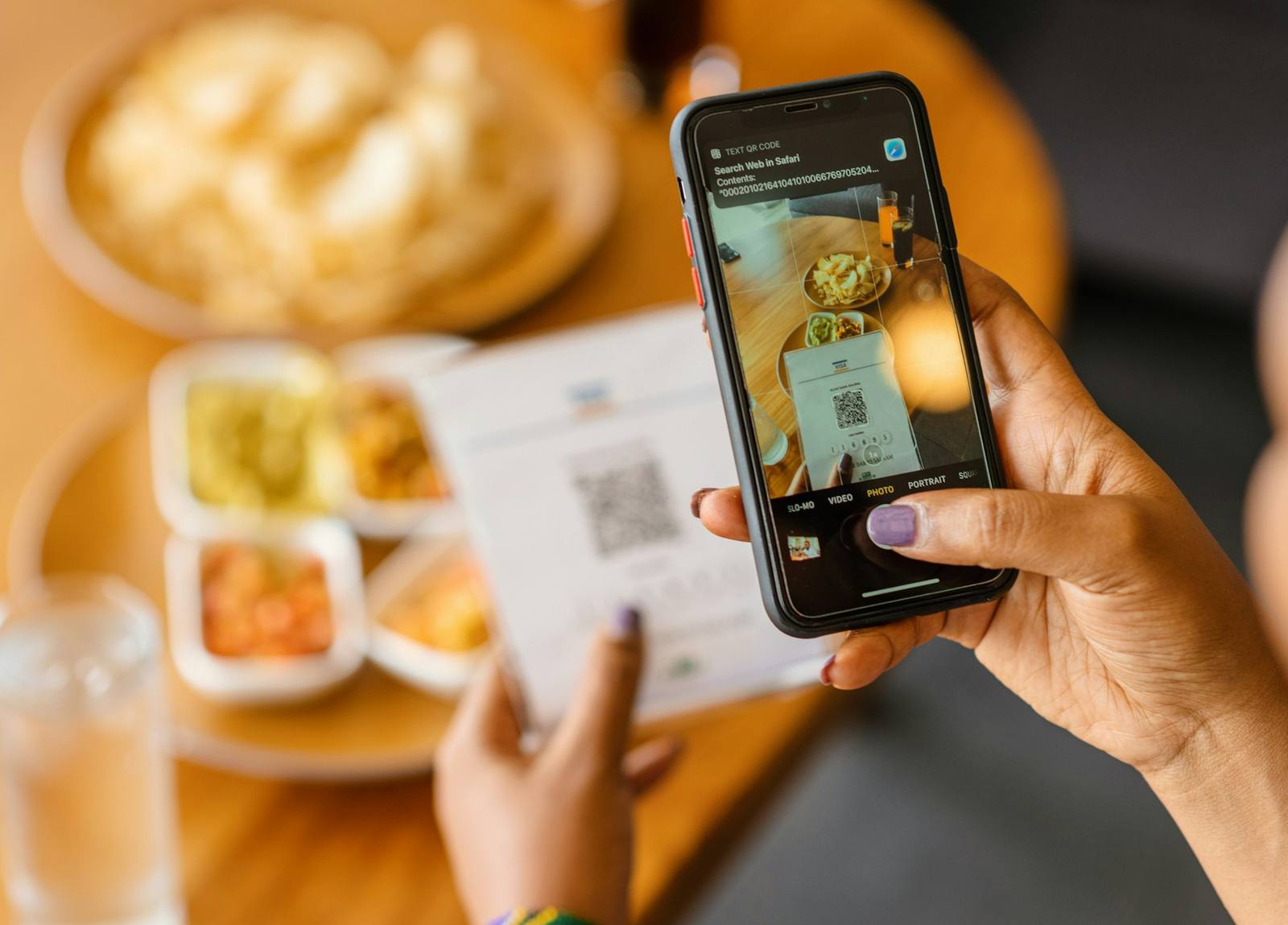
Paper menus are no longer the only way to show guests what is on offer. Many guests now sit down, pick up their phones without thinking, and expect to tap, scan and pay in their own time. That shift matters for every operator who cares about margin, guest experience and team efficiency.
In this article we look at what has changed, how QR code ordering really compares to paper, and where a blended approach makes more sense. By the end, you should feel clearer on whether a QR code ordering system for restaurants is right for your concept, and how to test it without putting your brand at risk.
Paper Menus Under Pressure
Guest habits have moved on. People are more comfortable using smartphones for almost everything, from banking to boarding passes. Digital wallets and contactless payments feel normal in most cities and busy seasonal spots globally.
That shift puts pressure on paper menus for a few reasons:
- Menus change more often, especially with supply issues and seasonal items
- Print quality, reprints and design tweaks all take time and money
- Staff teams are stretched, so repeated menu explanations are harder to keep up
- Operators want clearer data on what guests browse, skip and actually buy
The real question is not simply whether paper is good or bad. It is whether you should remove paper completely, or blend paper and digital so you protect your guest experience while gaining better control, speed and data.
Paper Menus vs QR Code Ordering
Paper menus are familiar and easy to grasp. Guests like flicking through pages, pointing at dishes and sharing a single menu round the table. For some concepts, that physical interaction is part of the brand.
QR code ordering offers different strengths:
- Guests can see live stock, specials and dietary tags
- Photos and clear modifiers help reduce confusion
- Orders go straight into the system, which cuts manual errors
- Guests can add extras or another round without signalling to staff
From an operational view, a QR code-ordering system for restaurants can remove the need to reprint menus each time prices or recipes change. It can also make menu engineering easier, since you can move, test and highlight items in minutes, not weeks.
There are, of course, risks and worries to work through:
- Some guests say QR feels cold or too self-service
- Low battery levels, poor signal or small screens can get in the way
- Older or less tech-confident guests may feel excluded
These concerns matter, but they can be managed with the right design, clear staff scripts and back-up options.
The Real Numbers: Cost, Labour and Table Turn
Printed menus carry more hidden work than many teams expect. You have design time, sign-off, proofing, print runs, and then wastage when the menu changes. Seasonal swings, supply shifts and events all add more strain to that process.
With digital menus:
- Changes can be pushed once and appear across all QR codes
- Specials, sold-out items and upsells can be adjusted quickly
- Brand rules can still be kept tight with controlled templates
Labour is a big part of the picture as well. When guests can order and pay from their phones:
- Staff spend less time taking repeat drink orders
- Teams can focus more on greeting, checking in and resolving issues
- Payments are handled with fewer trips to the table
In many venues, that balance can support faster table turns, higher average spend per head and fewer errors, because guests control the pace and see their order on screen before confirming. Results always depend on your concept, your guests and how clean your flow is, so it is worth testing in a small, structured way rather than assuming one outcome.
Designing a Guest-Friendly QR Ordering Experience
A QR system only works if guests understand it quickly. The first step is clear onboarding.
Good practice includes:
- Simple signs on tables that show how to scan and what happens next
- Short, clear scripts for staff like “You can scan to order, or I am happy to take your order”
- Clear notes about how to get help or add complex requests
Menu design in digital form also needs thought. The best flows feel simple and calm, not cluttered or overwhelming.
Focus on:
- Logical categories that match how people think, such as “Small Plates” then “Mains”
- Plain language descriptions that avoid long blocks of text
- Strong, realistic images only where they add clarity
- Filters for common dietary needs so guests do not have to guess
Accessibility and trust are non-negotiable. That means always having:
- A back-up for guests without phones, such as a small stack of paper menus
- A plan for poor connectivity, for example offline support in the tech itself
- Clear branding and readable URLs, so guests feel confident scanning and paying
- Visible staff nearby, so guests do not feel abandoned to the technology
Hybrid Menu Strategies That Actually Work
Not every venue should move to 100 percent QR. Some concepts are a far better fit for fully digital ordering, for example:
- High-volume bars or rooftops where guests mainly order drinks and snacks
- Fast casual counters with limited-touch table-service
- Outdoor or seasonal operations where paper menus wear out quickly
Other venues usually benefit from a hybrid setup, such as:
- Fine-dining, where staff-led service is central to the experience
- Wine or cocktail-led venues, where guidance is part of the value
- Markets with older demographics or lower smartphone use
Three simple rollout models that often work are:
- QR for ordering, staff for payment: speeds up the front-of-house, keeps a personal end
- Paper for browse, QR for reorders and bill: guests start with paper, then move to self-service top-ups
- Paper at quieter times, QR at peak: staff-led during calm periods, digital support during busy periods
Each model has trade-offs, so the right choice comes back to your concept, your brand and the type of guests you serve.
Choosing the Right QR Ordering Tech Partner
Once you are clear on strategy, the next step is choosing technology that actually fits your operation. A strong QR code ordering system for restaurants should connect ordering and payment across different service types, for example tables, collection or rooms, and work well with your current workflows.
Key areas to check include:
- Integration with your EPOS, KDS and any mobile POS you use
- Menu management tools, including modifiers, bundles and timed items
- Offline resilience, so service does not stop if the connection blips
- Reporting that shows products, sessions and behaviour in a clear way
Operational fit matters just as much as feature lists. Make sure the provider offers training that suits your team, clear support routes and a structured way to test and roll out updates.
Many operators find it helpful to:
- Pilot in one or two sites first
- Start with a small number of sections or dayparts
- Use a single partner across QR, kiosk and mobile POS so data stays in one place
A unified approach to ordering and payment across QR ordering, EPOS, kiosks, KDS and mobile POS can make it easier to test, measure and scale in a way that fits your brand and operational model.
Transform Your Restaurant Service With Seamless QR Ordering
If you are ready to speed up table turnover and cut order errors, our QR code ordering system for restaurants is built to fit around your existing service, not replace it. At Kayana, we work with you to tailor the setup to your menu, workflows and staffing so your team and guests feel the benefit from day one. Speak to our team to discuss your goals and get straightforward guidance on next steps, or simply contact us to arrange a quick demo.