
Enabling Nash Delivery Integration from Kayana Partner Admin
Last updated Apr 8, 2026
Overview
Nash is a third-party delivery orchestration platform that connects Kayana merchants with multiple delivery partners. Once enabled, Nash manages the entire delivery process, allowing businesses to offer delivery services without maintaining their own fleet.
When Nash is activated, delivery requests are automatically routed through the Nash system. Throughout fulfilment, real-time delivery updates are provided, allowing users to track the order status — including when a driver is assigned, when the order is on the way, and when it has been delivered.
Steps to Enable Nash Delivery Fulfilment
1. Log in to Partner Admin
Log in using your Partner Admin credentials.
A view of the Kayana partner admin dashboard
Partner Admin Login: https://partners.kayana.co.uk
2. Open Settings
From the left-hand sidebar, select Settings.
3. Go to Plugins
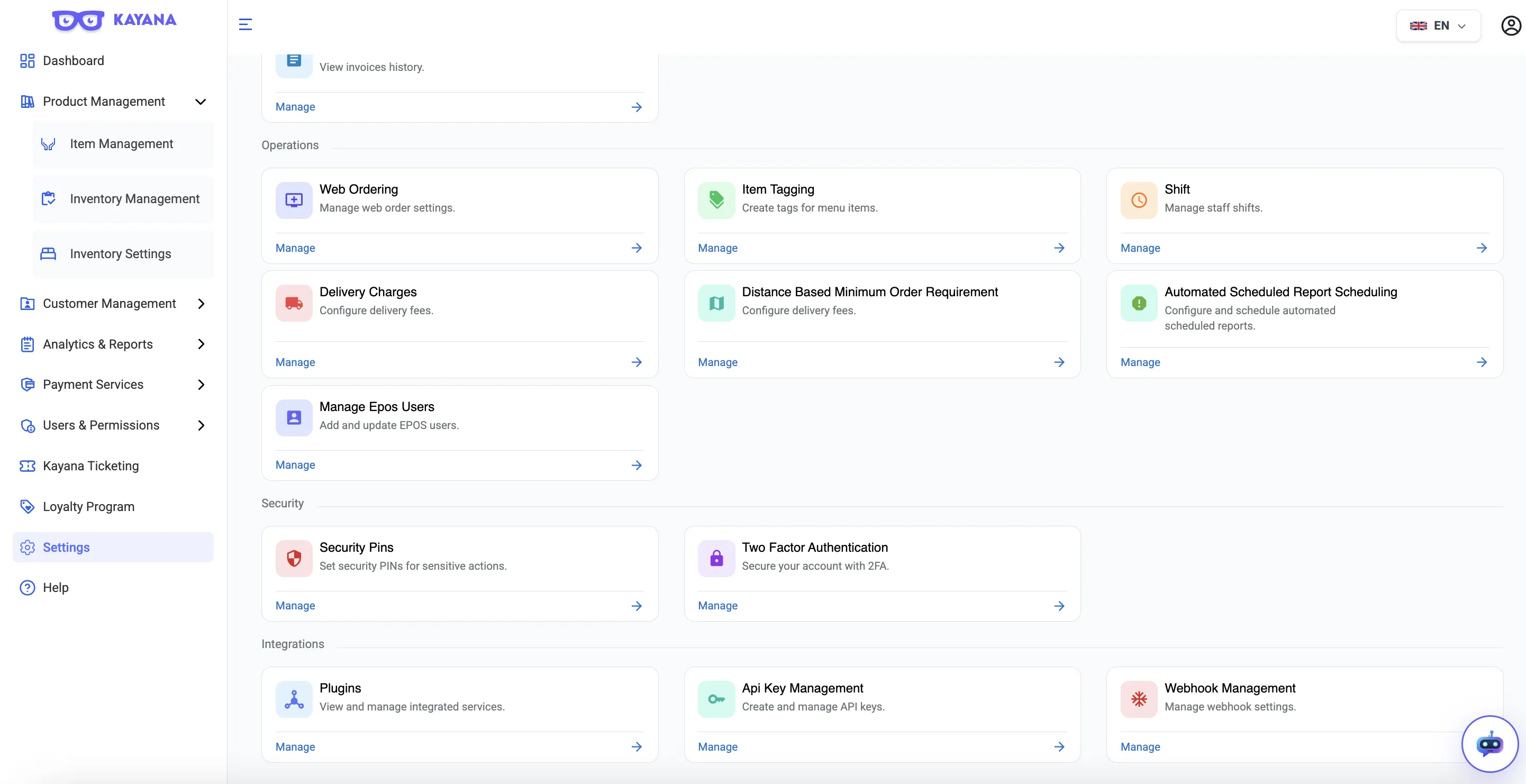
Click Plugins.
4. Locate the Third Party Delivery Fulfilment Plugin
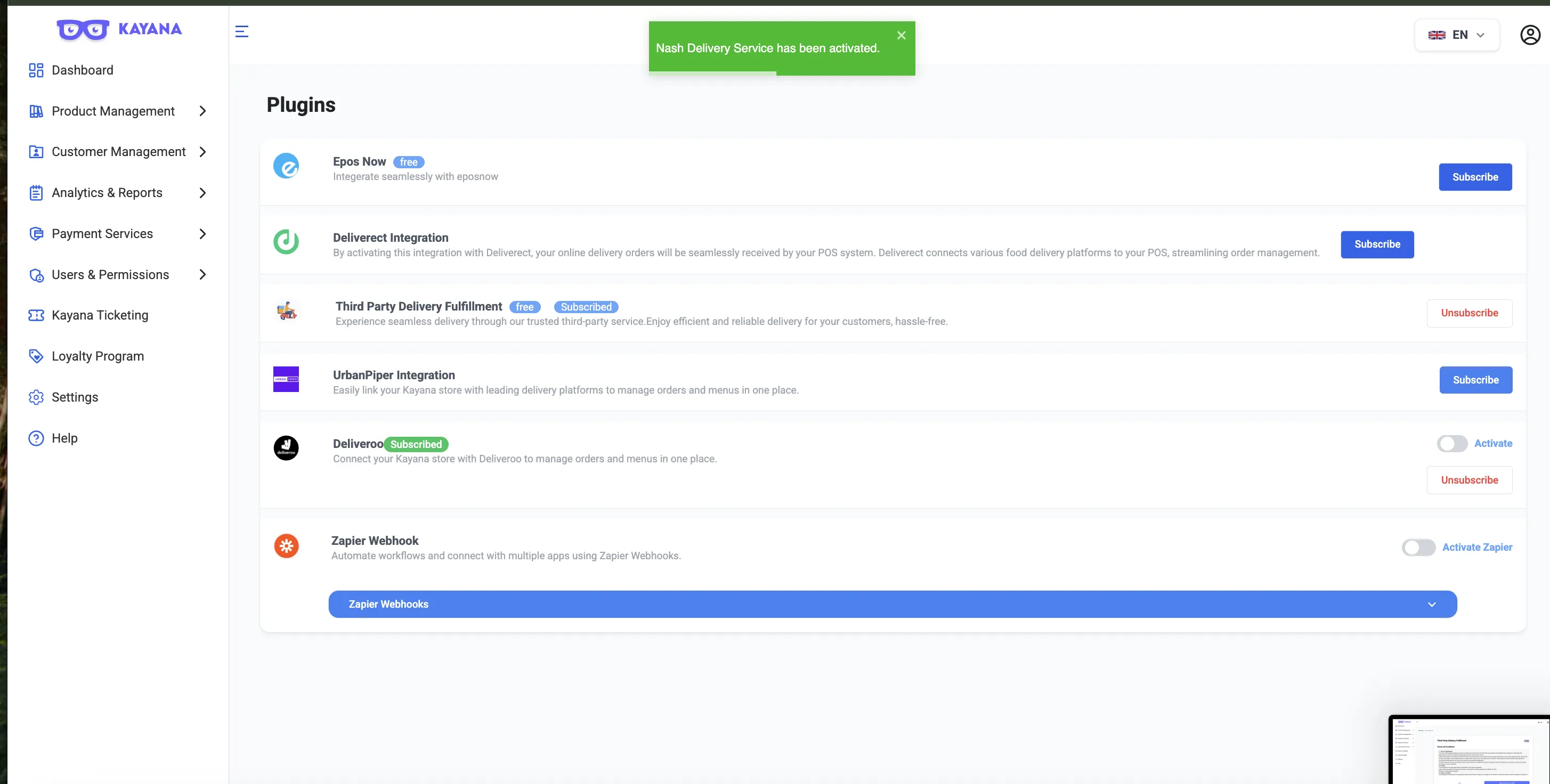
Find the Third Party Delivery Fulfilment card.
5. Enable the Integration
If Already Subscribed
Click Subscribe.
Complete the checkout process.
Once the subscription is completed, the Nash delivery plugin will get activated.
6. Confirmation
After enabling the toggle, a toast notification will appear confirming that the Nash integration has been successfully activated.
What Happens After Activation
Once the integration is enabled:
- Nash becomes available as a delivery fulfilment provider.
- When an order requires delivery, Nash handles the delivery assignment.
This allows businesses to offer delivery without managing their own delivery staff.
Next Steps
Refer to the guide on enabling UrbanPiper from the Partner admin for the step-by-step process to subscribe to the UrbanPiper plugin and activate the integration.