
Everything Connected at One Place: Update Everything at Once Across Platforms and Products

The Multi-Platform Update Nightmare Restaurant Owners Know Too Well
It's 9 AM on a Monday morning. Your supplier just called: chicken prices have gone up by 15%. You need to update your menu prices immediately to protect your margins.
So you log into your EPOS system. Find each chicken item. Update the prices. Save changes. One system down.
Then you open your tablet and log in to Deliveroo. Navigate to your menu. Find the chicken burger. Update the price. Find the chicken wrap. Update that too. Don't forget the chicken salad. That's system two.
Now Uber Eats. Same tedious process. Every chicken item is manually updated again. Three platforms done.
Wait, what about your self-service kiosk? And your website? And your mobile POS system?
Two hours later, you've logged into six different systems, searched for the same items repeatedly, updated dozens of prices manually, and you're still not entirely sure if you caught everything.
Did you update the chicken combo meal on the kiosk? Was it £8.99 or £9.99 on Just Eat now? Did you remember to change it on your website?
And it's not just pricing. Last week, you added a new seasonal burger. You had to add it separately to each system, upload the same photo 6 times, copy and paste the description into 6 different fields, and set it up on 6 different menus. It took an entire afternoon.
There has to be a better way, and it's called Kayana.
What Does "Update Everything at Once" Actually Mean?

Imagine this instead: You open one dashboard. One login. One screen.
You find your chicken burger in Kayana Partner Admin. Change the price from £8.99 to £10.49. Click save.
Instantly, that price updates across your EPOS system, your self-service kiosk, your mobile POS, your website, Deliveroo, Uber Eats, Just Eat, and every other platform you're connected to.
Everything syncs in real-time. No duplicate work. No missed updates. And no logging in and out of multiple systems.
Need to add a new item? Create it once in Partner Admin with your description, image, price, and settings. Click publish. It appears simultaneously on every platform where your customers order.
Want to mark something as out of stock? One click in Partner Admin, and it's unavailable across your EPOS, kiosk, mobile POS, website, and all delivery platforms within seconds.
That's the power of having everything connected in one place with Kayana Partner Admin. You update once, and Kayana automatically applies that change everywhere.
But it's more than just updates. From the same dashboard, you can:
- See every order coming in from EPOS, kiosk, and mobile POS in real-time
- Get instant notifications when orders arrive from any channel
- View all orders in your Kitchen Display System and Partner Admin simultaneously
- Track how many orders you've received today or any date range
- Monitor total sales across all platforms
- Check average preparation times
- Review customer feedback from every touchpoint
Everything connected. Everything visible. And everything is controlled from one place.
The Real Cost of Manual Updates Across Disconnected Systems
Before we dive deeper into how Kayana solves this, let's be honest about what disconnected systems actually cost your business when you need to make updates.
Time Waste That Compounds Quickly

A simple price change on one item shouldn't take two hours. But when you're manually updating six different platforms, that's exactly how long it takes.
Need to update five items? Now it's half a day. Want to add a new seasonal menu? That's an entire day of copying and pasting the same information into multiple systems.
This time adds up fast. If you make menu updates three times a week (and most busy restaurants do), you're losing 6-8 hours weekly on tasks that should take minutes. That's over 300 hours per year spent on repetitive data entry instead of running your business.
Errors That Cost You Money and Reputation
When you're manually updating the same information across six platforms, mistakes are inevitable.
You update the price on Deliveroo but forget Uber Eats. Customers see different prices on different platforms and think you're trying to cheat them.
You add a new item to your EPOS and website, but forget your kiosk. Customers see it advertised but can't order it, leading to frustration.
You mark an item as out of stock on three platforms but miss it on two others.
Orders keep coming in for food you can't make, leading to cancellations and angry customers.
These inconsistencies damage your reputation, create customer service headaches, and directly cost you sales.
One pricing error can mean selling at a loss for days before you notice.
Inconsistent Information Across Channels

Your burger description on your website says "grass-fed beef, aged cheddar, caramelised onions."
On Deliveroo, it says "beef burger with cheese and onions." On your kiosk, it says something slightly different.
When information is entered manually across multiple systems, maintaining consistency is nearly impossible.
Different descriptions, different images, different details. Your brand feels disjointed and unprofessional because your systems aren't connected.
Delayed Updates Mean Missed Opportunities
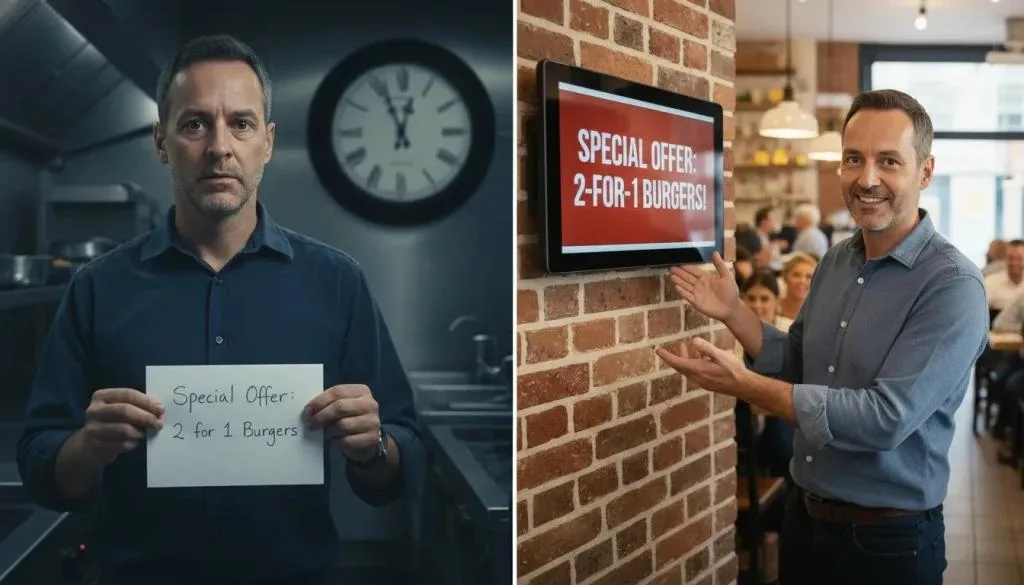
You have a great idea for a limited-time promotion. But the thought of updating all your platforms to implement it makes you hesitate.
By the time you get around to it, the moment has passed.
You want to adjust prices based on ingredient costs, but doing so requires hours of work across multiple systems.
So you delay, and your margins suffer. When updates are difficult, you avoid making them.
Your business becomes less agile, less responsive, and less competitive because your systems make change too painful.
Staff Frustration and Mistakes
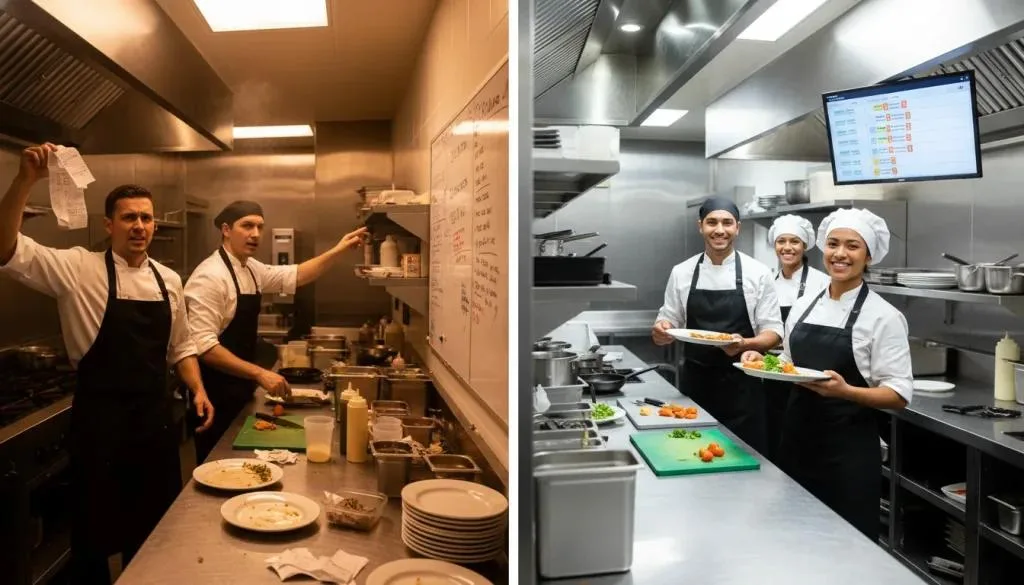
To begin with, your managers dread menu updates. They know it means spending hours logging into different platforms and finding the same items repeatedly.
Furthermore, they have to spend time copying information and simply hoping they don't make any mistakes along the way.
This repetitive, tedious work leads to:
- Errors from rushing through boring tasks
- Burnout from unnecessary administrative burden
- Resentment about wasting time on work that feels pointless
- Good people are leaving because their time isn't valued
Manual updates across disconnected systems don't just waste time; they also create inefficiencies. They destroy morale.
How Kayana Lets You Update Everything at One Platform for Instant Results
Kayana Partner Admin is built on a simple but powerful principle: you should only have to update something once.
Update Everything at One Platform: Your Central Dashboard
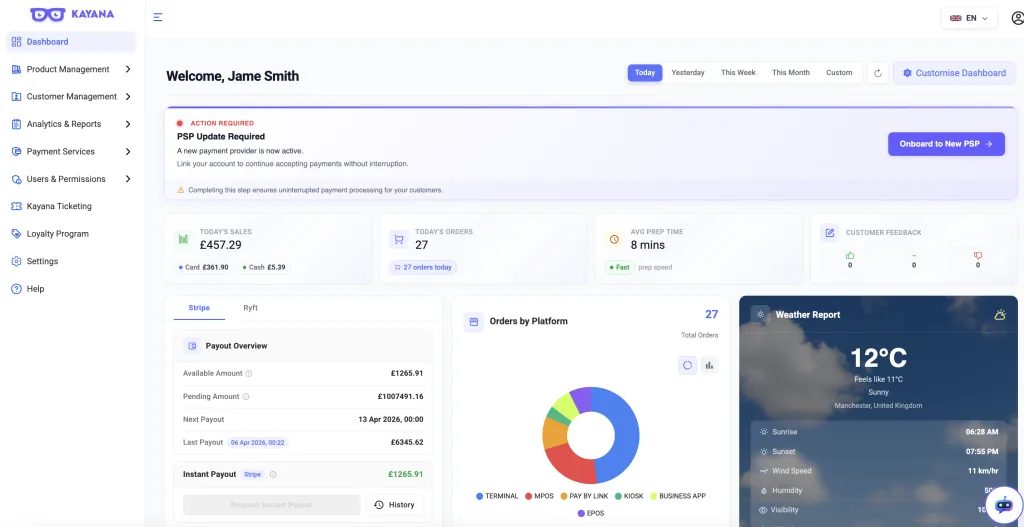
Instead of juggling multiple logins and platforms, you access everything through Kayana Partner Admin. This single dashboard connects to:
- Your in-store EPOS system
- Self-service kiosks
- Mobile POS (MPOS) devices
- Your Kitchen Display System (KDS)
- Your branded website or app
- Delivery platforms like Deliveroo, Uber Eats, and Just Eat
- Any other ordering channel you use
Every system is represented through a single unified interface. You see your entire operation and control it all from one place.
Update Everything at One Platform and Apply Everywhere Instantly
This is where Kayana transforms your operations. When you make a change in Kayana Partner Admin, it automatically syncs across all connected platforms in real-time.
- Change a price? Updated everywhere within seconds.
- Add a new menu item? It appears on all your platforms simultaneously.
- Update a product description? Every customer sees the updated text, regardless of where they're ordering.
- Upload a new product image? It automatically displays across EPOS, kiosk, mobile POS, website, and all delivery platforms.
- Mark an item as out of stock? It's unavailable across every channel immediately.
- Edit allergen information? The update applies to all platforms at once.
- Adjust a modifier price? Synchronised everywhere instantly.
You do the work once. Kayana handles the distribution automatically. No duplicate effort. No missed platforms. And no wondering if you updated everything correctly!
Real-Time Synchronisation Across All Systems
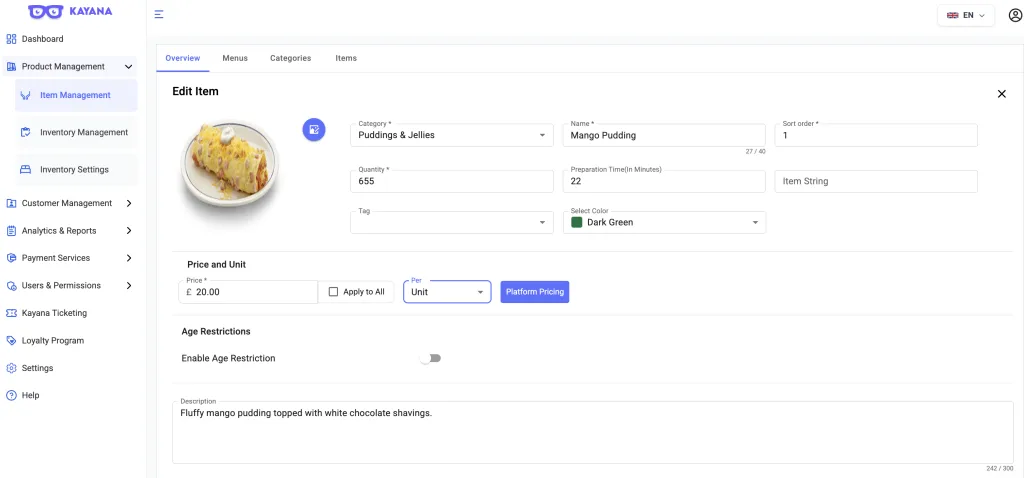
This isn't batch processing that happens overnight or manual syncing you trigger yourself.
When you click save in Kayana Partner Admin, the changes propagate to all connected platforms within seconds.
Need to remove an item because you've run out of an ingredient?
Do it instantly across every ordering channel. No lag time where orders keep coming in from platforms you haven't updated yet.
Want to launch a flash promotion?
Update your pricing in Partner Admin, and it goes live everywhere immediately. Your customers see the new prices right away, regardless of how they're ordering.
This real-time connection means your information is always current, always accurate, and always consistent across your entire operation.
A connected technology ecosystem can also create opportunities for partners and resellers. Learn why Kayana is a high-margin opportunity for hospitality technology resellers.
Complete Visibility While You Update Everything at One Platform
Kayana Partner Admin doesn't just handle updates; it also handles updates. While you're managing your menu, you also see what's happening across your operation in real-time:
- Orders coming in from EPOS, kiosk, and mobile POS
- Instant notifications for every new order
- All orders are displayed in your Kitchen Display System
- Today's order count and total sales
- Average preparation times
- Customer feedback from all channels
You're not working blind. You're updating your menu while maintaining complete awareness of your business performance.
What You Can Update Everything at One Platform
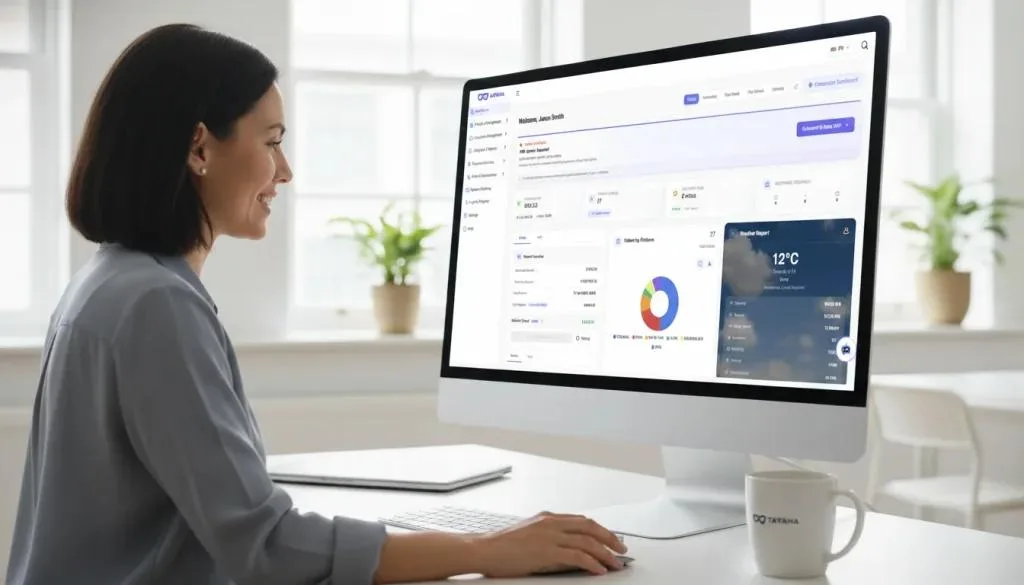
Let's get specific about everything you can update once in Kayana Partner Admin and have it apply everywhere.
1. Menu Items and Products
You can easily add, edit, or remove any menu item from your entire catalogue.
As a result, the change automatically applies across every platform where that item appears.
New seasonal burger?
Add it once with all details, and it appears simultaneously on your EPOS, kiosk, mobile POS, website, and all delivery platforms.
Discontinuing an old item?
Remove it once, and it disappears from everywhere.
2. Update Pricing at One Platform Across All Channels
Update pricing for any item and choose whether to apply it universally or customise by platform.
Ingredient costs went up?
Adjust your prices once and sync them everywhere in seconds.
Do you want different pricing on delivery platforms to cover commissions?
If so, you can easily set platform-specific prices from the same interface.
Need to run a kiosk-only discount?
Apply the promotion to that channel only, without affecting others.
All pricing control happens in one place, with updates flowing instantly to every relevant platform.
3. Product Descriptions and Details
Write your product description once in Kayana Partner Admin, and it appears identically everywhere your customers see it.
Update allergen information?
Done across all platforms instantly.
Change ingredient lists?
Updated everywhere at once.
Edit nutritional details?
Synchronised across every channel.
Refine your copy for clarity?
Applied to EPOS, kiosk, mobile POS, website, and delivery platforms simultaneously.
4. Images and Visual Assets
Upload a professional photo once, and Kayana automatically displays it across every platform.
Need new photography for your signature dish?
Simply upload it to Partner Admin, and it will then appear on your self-kiosk screens, EPOS displays, mobile POS, website, and all delivery platforms within seconds.
No more uploading the same image six times to six different systems. No more inconsistent imagery because different platforms have different photos. One upload, universal application.
5. Availability and Stock Management
Control what's available across all your ordering channels from one interface.
Mark an item as unavailable in Partner Admin, and the status updates across EPOS, kiosk, mobile POS, website, and all delivery platforms instantly.
Run out of chicken during dinner rush? One click, and chicken items disappear from every ordering channel immediately. No more orders for food you can't make.
When does the stock come back?
Mark it available again, and it reappears everywhere just as quickly.
6. Modifiers, Add-ons, and Customisations
Manage all your customisation options from one place.
- Add a new topping? Create it once, and it's available across all ordering platforms.
- Change the price of extra cheese? Update once, apply everywhere.
- Introduce a new drink size? Configure it in Partner Admin, and it syncs to every system.
- Remove a modifier that's no longer available? Delete it once, and it's gone from all platforms.
7. Categories and Menu Organisation
Reorganise your menu structure from Kayana Partner Admin, and the changes flow through to all your platforms.
Want to create a new "Summer Specials" category?
Set it up once, and it appears on your EPOS, self-service kiosk, mobile POS, website, and delivery platforms simultaneously.
Reordering items for better visibility?
Adjust the sequence in Partner Admin, and your new organisation will be reflected across every platform.
8. Promotional Pricing and Special Offers
Set up promotions from Kayana and choose which platforms they apply to.
Limited-time discount? Create it once and apply it universally or selectively by channel.
Happy hour pricing? Schedule it in Partner Admin and let it activate automatically across the platforms you choose.
Platform-specific offers? Set up promotions for each channel, all managed from a single interface.
All promotional updates happen in one place and sync instantly to the relevant platforms.
Everything Connected: Beyond Just Updates
While the ability to update everything at once is transformative, Kayana Partner Admin offers complete operational connectivity.
Connecting individual systems is one thing; bringing them together into a single ecosystem is another. Find out how Kayana brings ordering, payments, hardware and reporting into one ecosystem.
Real-Time Order Visibility
Every order from every channel appears in Partner Admin:
- EPOS orders from your counter
- Kiosk orders from self-service
- MPOS orders from mobile devices
- Website orders from your online platform
- Delivery platform orders from Deliveroo, Uber Eats, and others
You get instant notifications. Orders flow to your Kitchen Display System. You see everything happening across your operation in real-time.
Comprehensive Analytics
From the same dashboard where you make updates, you see:
- How many orders have you received today
- Total sales across all platforms
- Sales broken down by channel
- Performance during any date range you select
- Average preparation times
- Customer feedback from every touchpoint
Make updates in the morning, check performance at lunch, and adjust strategy in the afternoon. All from one connected dashboard.
Complete Control
Kayana Partner Admin gives you:
- Menu management across all platforms
- Pricing control with universal or platform-specific settings
- Real-time availability management
- Order visibility from every channel
- Comprehensive performance analytics
- Customer feedback collection
Everything you need to run a modern multi-channel restaurant, connected in one place.
Connected systems also provide a stronger foundation for automation and AI. Explore how AI is transforming hospitality and how Kayana helps restaurants.
Common Questions About Updating Everything at One Platform
Does updating once really work for all my platforms?
⌄ Yes. When you make a change in Kayana Partner Admin, it automatically syncs to every connected platform: EPOS, kiosk, mobile POS, website, and all delivery platforms.
How fast do updates apply?
⌄ Changes sync in real-time, typically within seconds. When you click Save, the update is applied to all platforms immediately.
Can I still customise pricing by platform?
⌄ Absolutely. You can update universally when that makes sense, or set platform-specific pricing when needed. All controlled from the same interface.
What if I only want to update certain platforms?
⌄ You have complete control. Choose to update everything at once, or select specific platforms for each change. Kayana gives you the flexibility to update universally or selectively.
What happens if one platform is temporarily offline?
⌄ Your other platforms update normally. When the offline platform reconnects, it syncs automatically to reflect your changes.
Can multiple team members make updates?
⌄ Yes. You can grant appropriate access levels to team members, allowing them to make updates while you maintain oversight through Partner Admin.
Is there a learning curve?
⌄ The interface is intuitive. If you can use any restaurant management system, you can use Kayana Partner Admin. Most users are updating confidently within minutes.
Stop Wasting Time on Repetitive Updates and Update Everything at One Platform with Kayana

The restaurant industry has evolved. Your customers order from kiosks, counters, mobile devices, websites, and delivery apps.
Managing updates across all these channels shouldn't require hours of repetitive data entry.
Every day you operate with disconnected systems, you're:
- Wasting hours on updates that should take minutes
- Risking costly errors and inconsistencies
- Missing opportunities because updates are too painful
- Frustrating your team with tedious, repetitive work
- Responding slowly to changes you should handle immediately
- Losing competitive advantage to more agile operators
Kayana offers a better way with our Kayana Partner Admin. Update once. Apply everywhere. Instantly.
Change a price in one place, and it updates across EPOS, self-service kiosk, mobile POS, website, and all delivery platforms within seconds.
Add a new item once, and it appears simultaneously across every channel where your customers order.
Mark something unavailable, and it's removed from all platforms immediately.
No more logging into six systems. No more copying and pasting the same information repeatedly. And no more wondering if you updated everything correctly.
Just simple, efficient, connected updates that save you time, eliminate errors, and let you respond to your business needs instantly.
Plus, from the same dashboard, you see everything happening across your operation: orders coming in from every channel, real-time sales performance, average preparation times, and customer feedback.
Everything connected. Everything visible. And everything is controlled from one place.
Ready to stop wasting time on repetitive updates?
Discover how Kayana Partner Admin lets you update everything at once across all your platforms and products.